The Best Free and Affordable Marketing Tools for B2B Companies in 2026
Email is still one of the highest‑ROI channels in digital marketing, but only when it’s consistent, personalized, and aligned with your customer journey. For most organizations, that level of execution is impossible to maintain manually. That’s where HubSpot email marketing and email marketing automation become a competitive advantage instead of a nice‑to‑have.
Leaders who embrace automation aren’t just saving time. They’re building a scalable customer retention management system, improving lead generation, and creating a more predictable revenue engine.
Below is a breakdown of the automated emails every business should be running, the benefits of automating inside HubSpot, and simple how‑tos to get started.
Automated Emails Every Business Should Have Running
1. Lead Nurture Drip Campaigns
A drip campaign warms up cold or early‑stage leads with a sequence of educational, value‑driven emails.
Examples include:
A 3 to 5 email sequence introducing your solution
Industry insights or “how‑to” content
Case studies and social proof
A soft CTA to book a call or demo
Why it matters: It keeps your brand top‑of‑mind without your sales team lifting a finger.
2. New Customer Onboarding
Once someone makes a purchase, automation ensures they feel supported immediately.
Examples:
Welcome email
Setup instructions
Training resources
A check‑in email from their rep
Why it matters: Faster adoption, fewer support tickets, and higher long‑term retention.
3. Re‑Engagement Campaigns
HubSpot can automatically identify contacts who haven’t opened or clicked in a while and trigger a reactivation sequence.
Examples:
“We miss you” email
Updated offers
New product announcements
Why it matters: It’s cheaper to re‑engage than acquire new leads.
4. Personalized Marketing Based on Behavior
This is where HubSpot shines. Personalized marketing is necessary when people receive so many emails.
Examples:
If someone views your pricing page → send a comparison guide
If they download a whitepaper → send related content
If they attend a webinar → send a follow‑up offer
Why it matters: Behavior‑based automation increases conversions because it meets people exactly where they are.
5. Customer Retention & Upsell Emails
Your CRM data becomes your growth engine. Here are some post-sale emails to try.
Examples:
Renewal reminders
Upsell or cross‑sell recommendations
Customer satisfaction check‑ins
Loyalty or referral program invitations
Why it matters: Retention is the highest‑ROI activity in any business.
Why Automating in HubSpot Is a Strategic Advantage
1. Everything Lives in One System
Your CRM, marketing, sales, and service data all feed into the same engine. That means:
Cleaner reporting
More accurate personalization
No more duct‑taped tools or manual exports.
2. Personalization at Scale
HubSpot makes personalized marketing easy with:
Smart content
Dynamic fields
Behavior‑based triggers
Lifecycle stage automation
You get the intimacy of 1:1 communication with the efficiency of automation.
3. Predictable Lead Generation
Automated nurture sequences ensure every lead gets consistent follow‑up, not just the ones your team has time for.
This leads to:
Higher conversion rates
Shorter sales cycles
More qualified conversations
4. Better Customer Retention
Automated onboarding, check‑ins, and renewal workflows turn your CRM into a true customer retention management system.
You’ll see:
Higher satisfaction
Lower churn
More expansion revenue
5. Executive‑Level Reporting
HubSpot’s dashboards give leaders real‑time visibility into:
Email performance
Lead quality
Pipeline movement
Revenue attribution
You can finally see what’s working and what’s not without waiting for a monthly report.
How to Automate Emails in HubSpot (Simple How‑Tos)
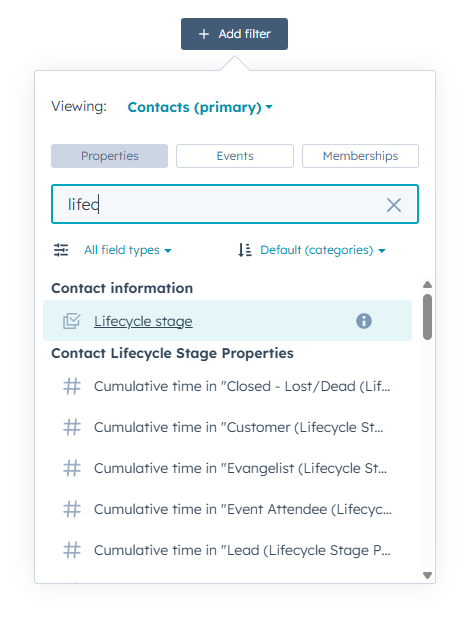
1. Build Your List Segments
Start by organizing contacts into meaningful groups:
Lifecycle stage
Industry
Behavior (pages viewed, emails opened)
Product interest
Segmentation is the foundation of effective automation. HubSpot offers a ridiculous number of options for segmenting your lists. It can be overwhelming, and depending on how your company uses the fields in HubSpot, it may not be exactly the same as another company's. That's where HubSpot experts make this process easier.
2. Create Your Email Templates
Use HubSpot’s drag‑and‑drop editor to build:
Welcome emails
Nurture sequences
Follow‑ups
Re‑engagement messages
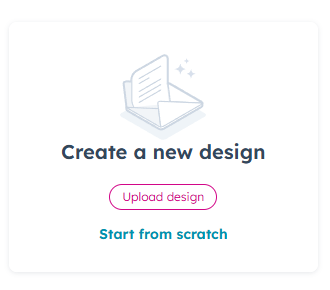
Keep them short, value‑driven, and skimmable. And even when the emails are sent for different purposes (ie welcoming, nurturing, follow-ups), they need to have similar elements to stay on brand and help the potential or current client know just by the design that it's from you.
3. Set Up Your Workflow
Inside HubSpot:
Go to Automation → Workflows
Choose a template or start from scratch
Select your enrollment triggers (form fill, page view, list membership, etc.)
Add your email steps
Add delays, conditions, and branching logic
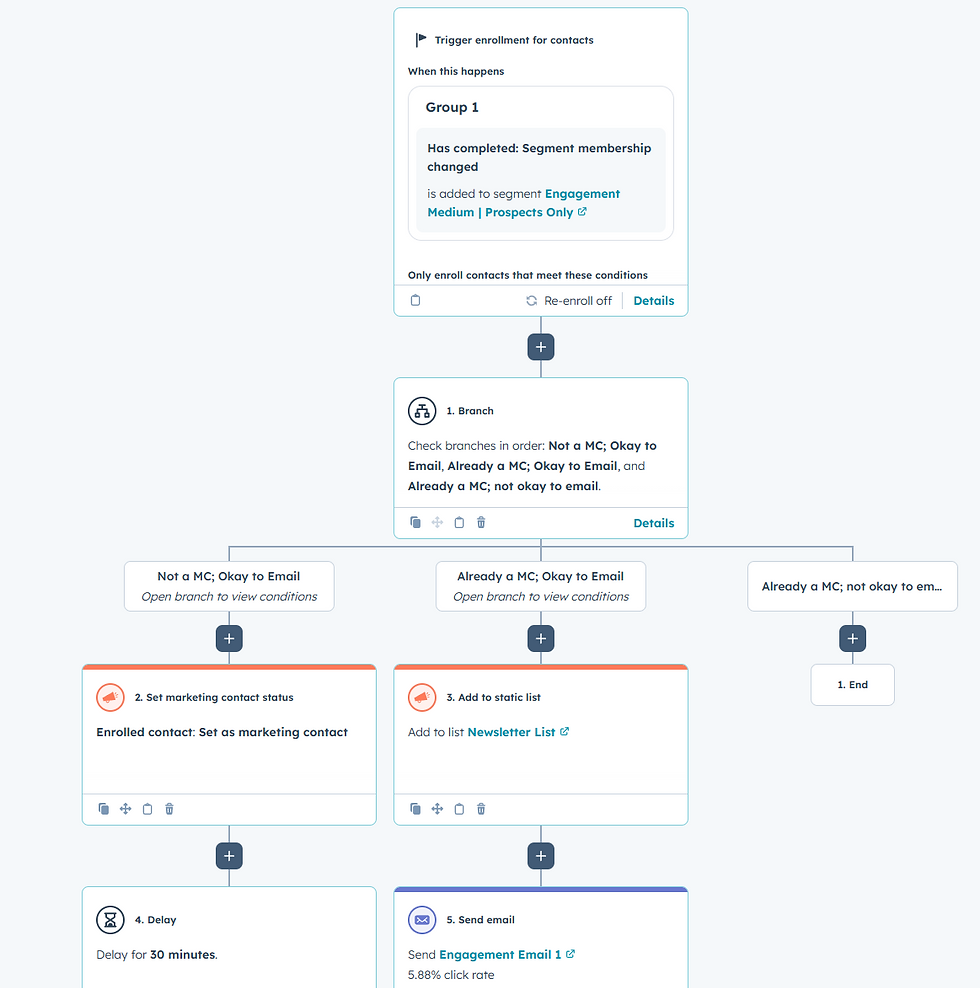
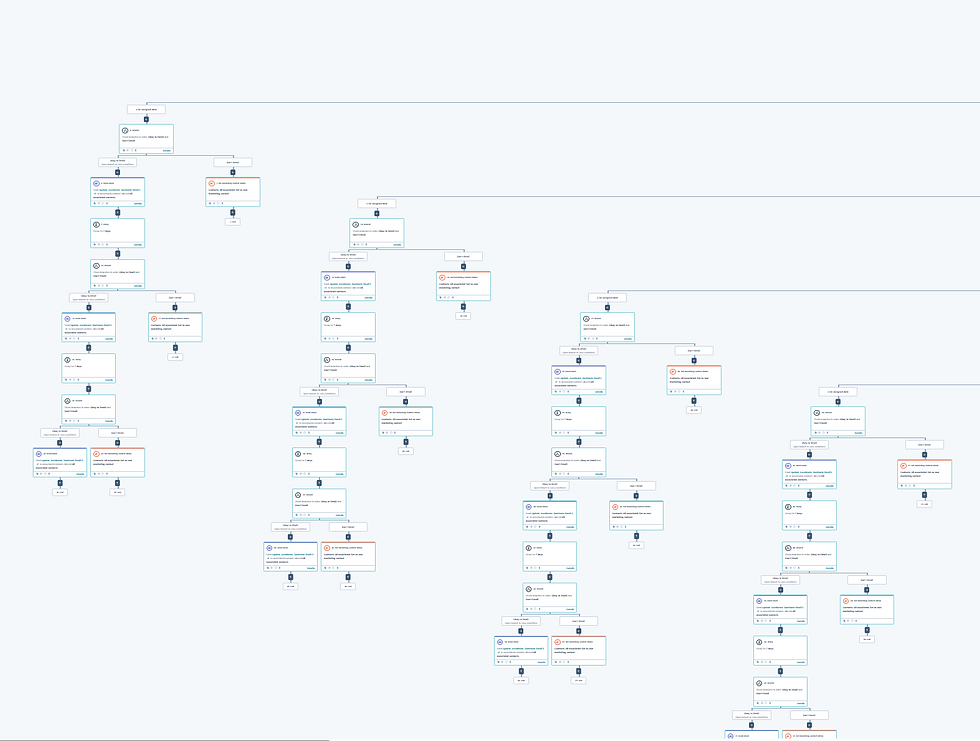
This is where your drip campaign comes to life. Your workflows can be simple (see left screenshot) or incredibly detailed (see right screenshot). It all depends on your goal. You could start the workflow with a general trigger and then use branches and conditions to funnel contacts to different emails.
4. Test Before You Launch
Send test emails to yourself and your team.
Check:
Personalization tokens
Links
Mobile formatting
Timing
A quick test prevents embarrassing mistakes. It also shows you where your workflow may not be working the way you want it to. You can choose a contact to test the workflow. As long as you are in test mode, it will not affect the contact; it will only show what would happen if they went through it.

5. Monitor and Optimize
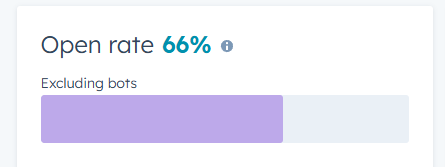
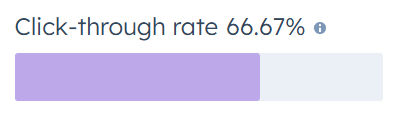
HubSpot gives you performance data on:
Click‑through rates
Conversion rates
Use this data to refine your messaging and timing. Remember that there are MANY nuances in marketing, especially email marketing. Not all emails can be tracked once they are delivered. And what works for one industry or segmented group may not work for another. So tracking data over time helps you see what is more likely to work and what won't.
The Bottom Line for Business Leaders
Automation isn’t about replacing people; it’s about empowering your team to focus on high‑value work while your systems handle the repetitive tasks. With HubSpot email marketing, email marketing automation, and smart segmentation, you create a scalable engine for lead generation, customer retention, and personalized marketing.
The companies that win aren’t the ones sending more emails. They’re the ones sending the right emails — automatically, intelligently, and at scale.